Update the Size, Keep Your Work
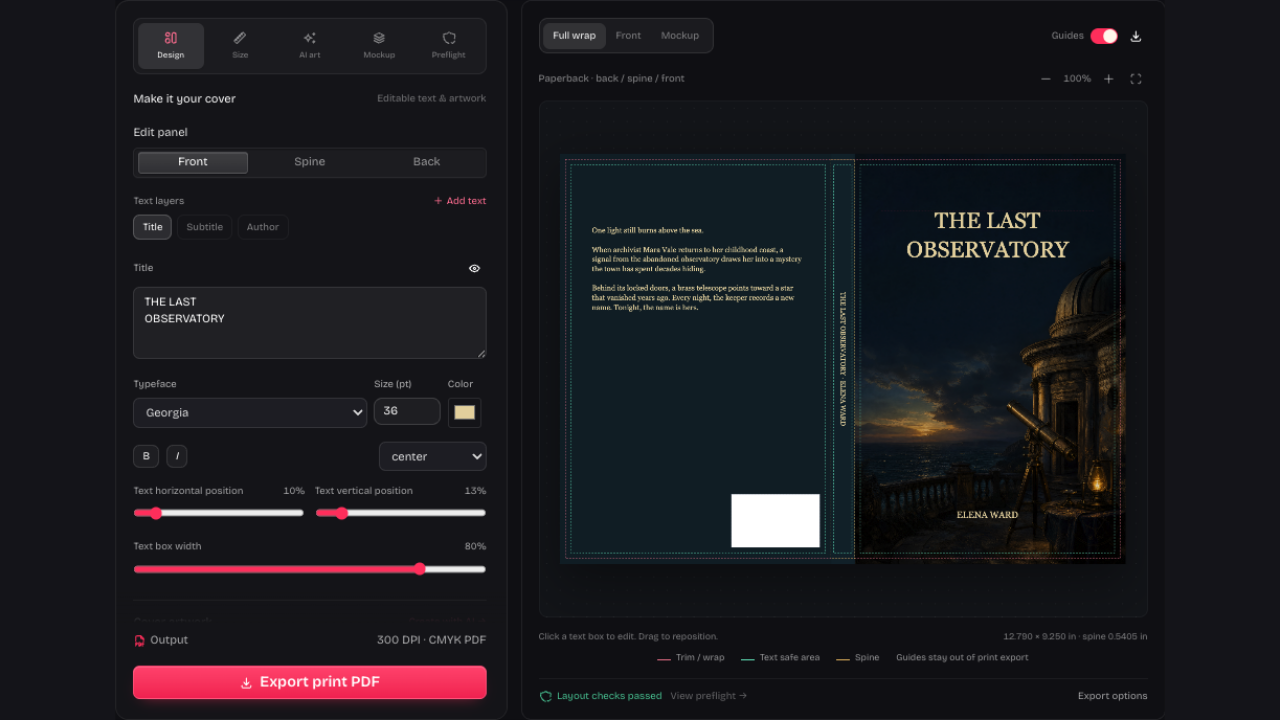
Changed your manuscript? The KDP Cover Calculator recalculates the spine when you update page count or paper. Your artwork stays in place, ready for you to adjust against the new boundaries.
Open KDP Cover CalculatorUse the Amazon KDP Cover Calculator to find spine and full-cover dimensions from trim, paper and page count. Download a guide PDF or design on the same canvas.
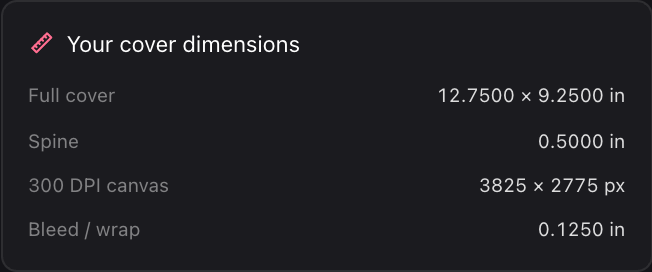
A real KDP paperback example: 6 × 9 inches, 200 pages, cream paper. The calculated spine is 0.5000 inches and the full template is 12.7500 × 9.2500 inches.
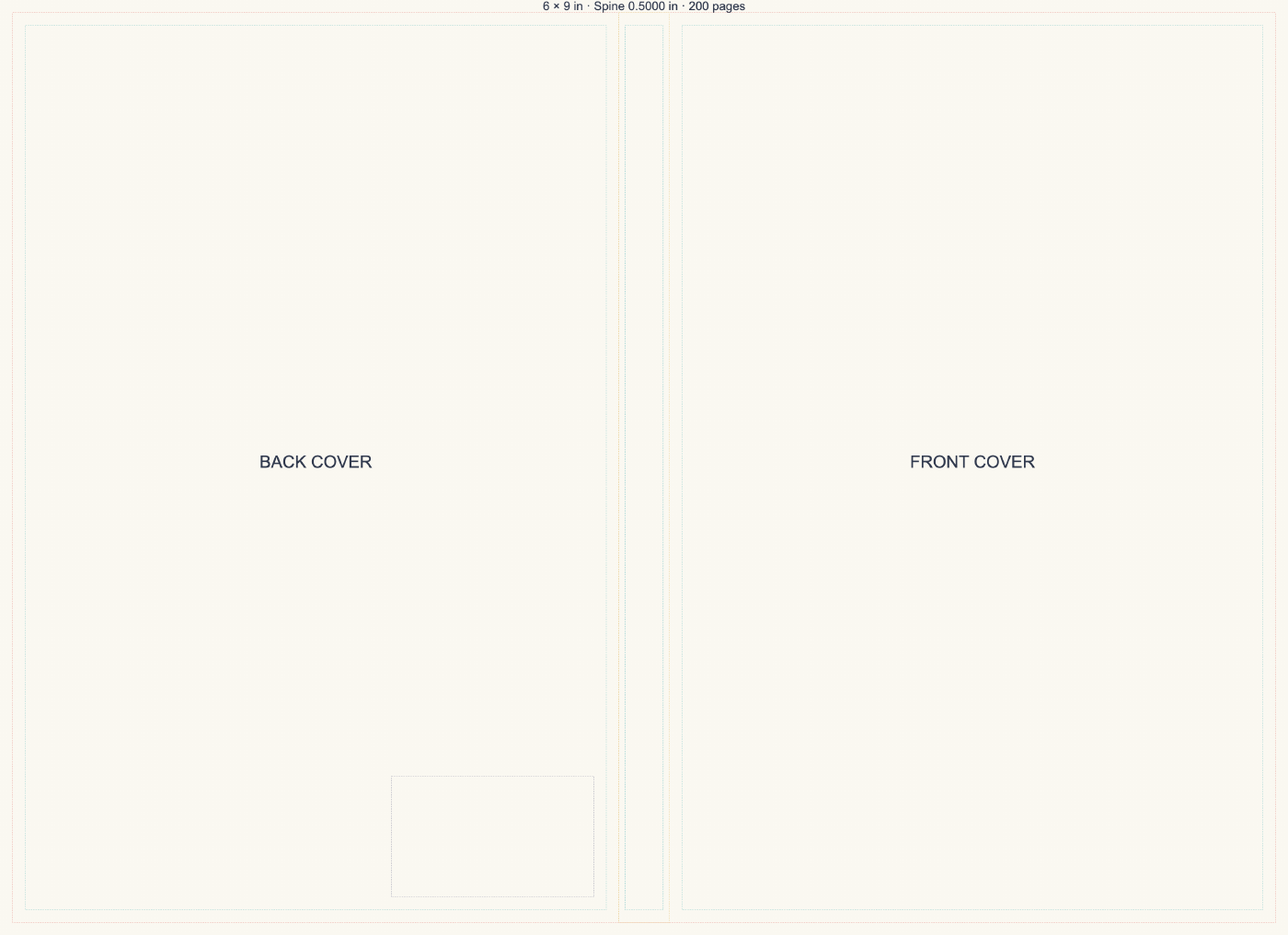
KDP Cover Calculator example: the guide marks trim, text-safe areas, spine and barcode space. Keep those lines out of your finished print file.
Choose binding, trim size, final page count and paper. Use the interior file you intend to publish.
The KDP Cover Calculator updates full-cover size and spine width as you change settings. Check the guide preview before downloading.
Download the guide PDF, or switch to Design to work on the same measured canvas.
Changed your manuscript? The KDP Cover Calculator recalculates the spine when you update page count or paper. Your artwork stays in place, ready for you to adjust against the new boundaries.
Open KDP Cover Calculator
The KDP Cover Calculator brings front, spine and back into one measured wrap. Download the planning guide, or switch to Design and export a finished cover without guide lines.
Open KDP Cover CalculatorSee full-cover size, spine, bleed and canvas pixels together in the KDP Cover Calculator as you revise settings.
Unsupported book settings show a correction before export, helping you identify which input needs attention before downloading a guide.

Templates contain planning guides; finished print PDFs contain your artwork and text without those lines in the exported cover.
No account or AI credits are needed to calculate dimensions, download a guide or continue editing the measured cover locally.
In the KDP Cover Calculator, enter binding, trim, final page count and paper under Size. For example, 200 cream pages give a 0.5000-inch paperback spine. A different page count or paper changes that width.
KDP paperback and supported hardcover settings are available. A Kindle ebook uses a front-only cover, so it has no printed spine to calculate. Choose the binding first; IngramSpark paperback needs its official spine width.
One full-wrap page with trim, text-safe areas, spine and an optional barcode reserve. It contains no cover artwork. The separate print export contains your finished design without guides.
Choose IngramSpark and enter the spine width from its official paperback template. KDP paper calculations cannot substitute for IngramSpark’s stock specifications.
Always compare the dimensions with the publisher’s current template and check its upload previewer. Our checks help identify layout issues but cannot guarantee acceptance.
Yes. Calculations, guide PDFs, local editing and exports use no credits. Only optional AI artwork generation requires sign-in and credits.

Have your final page count ready. Set the book details above, check the measurements and download your guide.
Open KDP Cover Calculator